I2P: browser hardening
Unlike Tor, i2p does not bundle in a browser to use on the network. Here are some tips for hardening your browser.
Tor traffic is primarily users accessing clearnet sites and resources, and by using the same browser with the same settings they are less easily distinguished from one another. The primary threats to that anonymity are from exit node + guard node collusion, and from browser fingerprinting. More on that another time. Using a Firefox-ESR that says it runs on windows, as Tor browser does, is a sensible approach.
i2p by contrast was designed to be a fully self-contained network. The difference suggests a good approach is to emphasize security more, and anonymity less. There is no threat of exit node and guard nodes colluding to de-anonymize your outbound traffic, and i2p speaks UDP and IPv6, not just TCP and IPv4 so it can more easily avoid DNS leaks and such. I think the upshot is that your IP address is less likely to be revealed on i2p. Focusing on browser security makes sense.
turn off Javascript
Blocking Javascript makes breaking out of the browser's sandbox considerably more difficult for an attacker. It also means that some eepsites are not going to work.
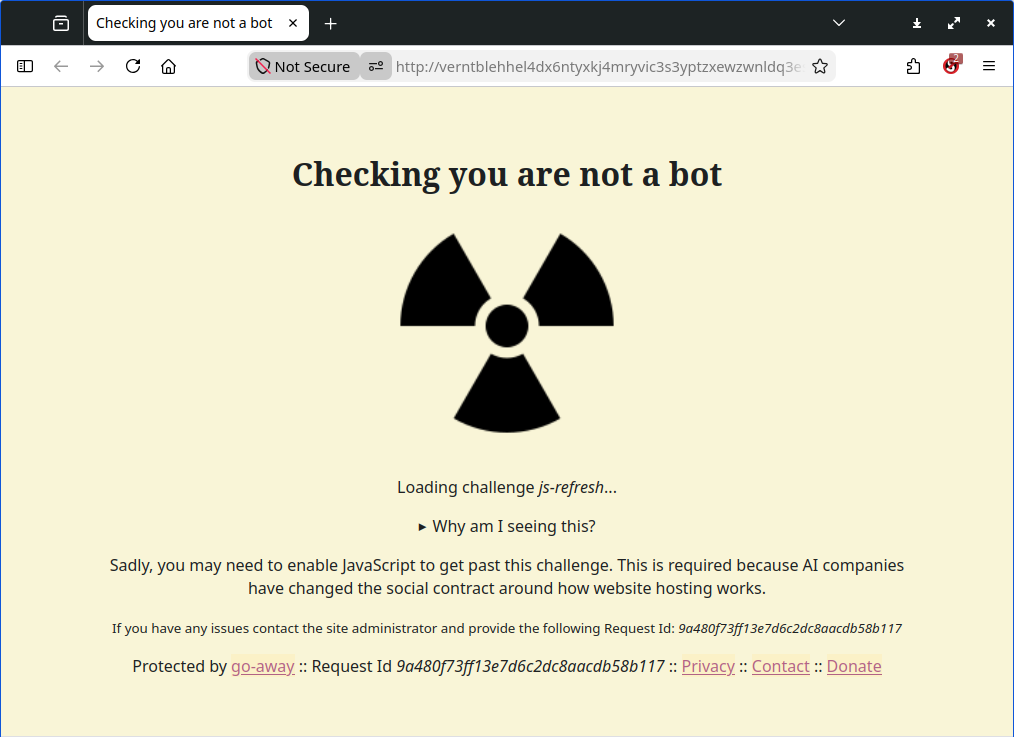
You can enable Javascript manually for any websites you want to if you'll use the noscript plugin, which blocks all by default and allows you to temporarily or permanently unblock trusted sources one by one.
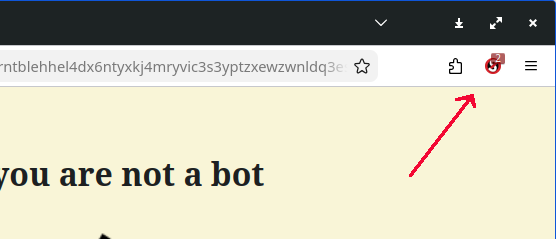
noscript plugin does more than just block javascript, but that's the primary reason to install it; enabling javascript can lead to compromise of your device by an adversary. When installed, you can find it here:
Javascript is dangerous on clearnet, and attackers on the darknet might feel even more emboldened by a sense of anonymity. If you trust a site and need javascript enabled for the site to operate, then click to allow only that domain - never enable all! In fact if an eepsite has lots of javascript it should be considered sus 👀
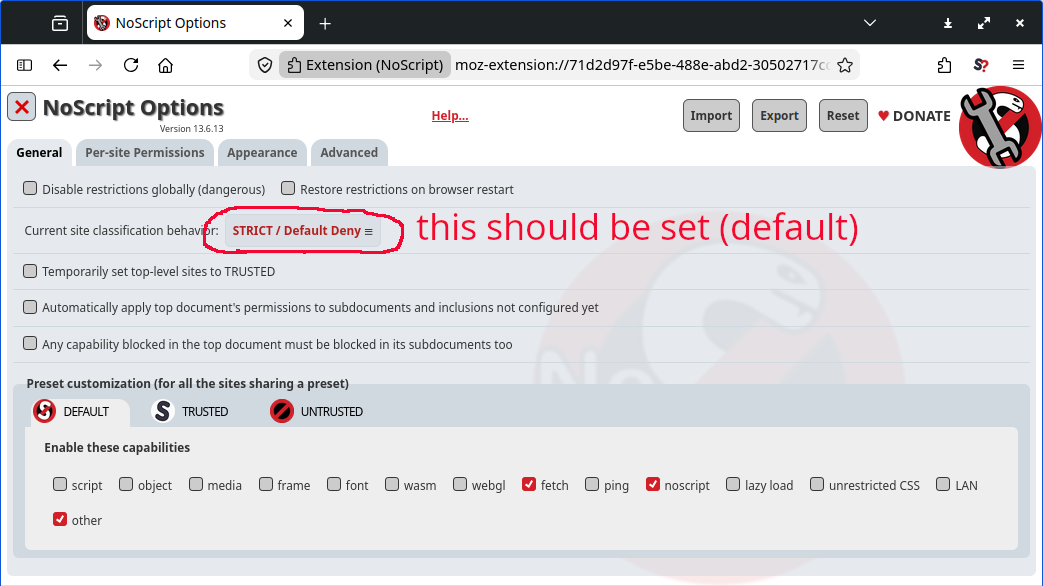
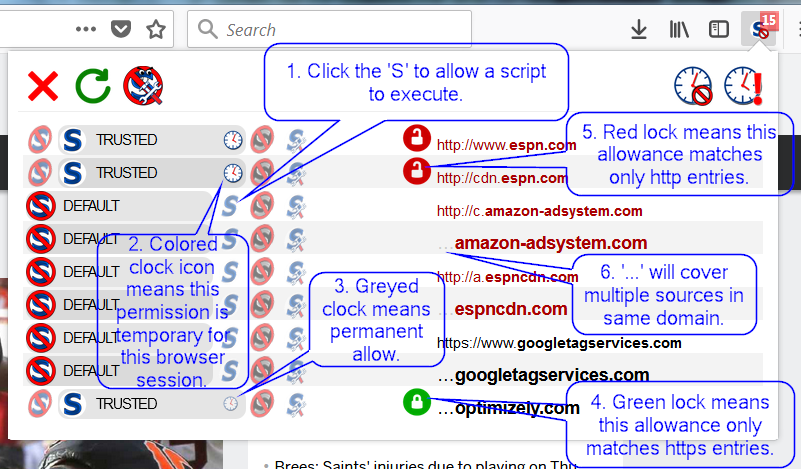
Click on the toolbar icon when you visit a site if you need to unblock something to see the page. Here is a detailed explainer about the symbols, but TL;DR you can just "block" and "temp allow' and ignore the rest of this!
Note: you can use uMatrix instead if you know that one and love it. noscript pulls no punches, I use that. Don't install ANY other plugins unless you know what you're doing! They are security problems.
choosing a browser
Firefox or derivatives like Mullvad, Tor browser, etc. are the recommended browsers to use. You want to either use a separate browser for i2p, or a separate profile as Firefox allows, hence the recommend.
firefox -PIf you start Firefox from the command line using the -P switch followed by a profile name it will use that profile. Leaving it blank like this, or using one that does not exist will open the profile manager:
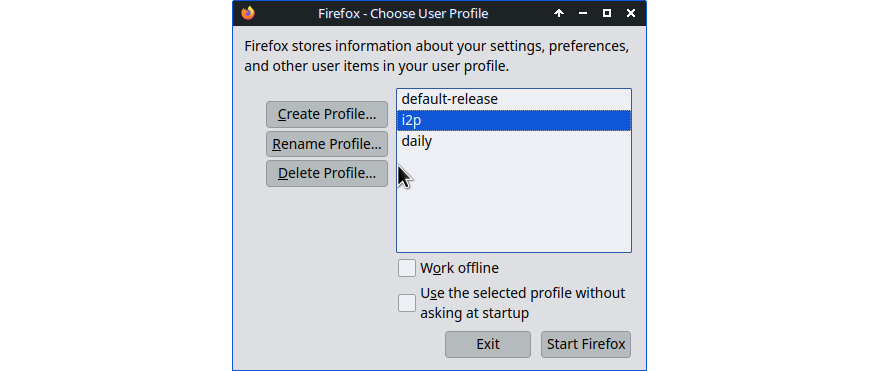
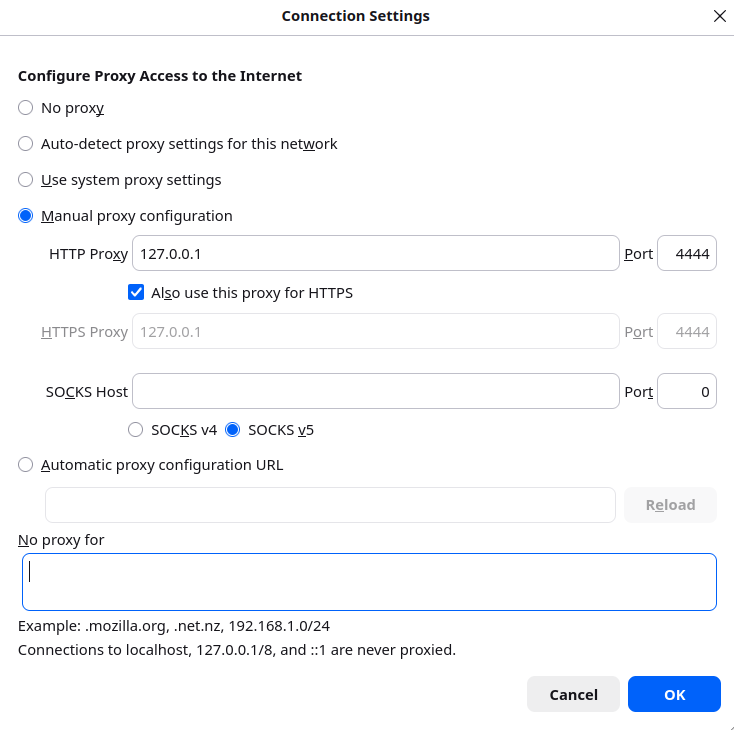
Create a profile for i2p, the browser settings you choose will only apply to this profile. Set the http proxy to use 127.0.0.1 (localhost) port 4444 (the default)
Visit I2P eepsite addresses only. Never log into clearnet accounts from this profile or dedicated browser!
browser configuration
In the browser's address bar, type in about:config and say YES when prompted. Modify or create these prefs:
network.proxy.share_proxy_settings = true
media.peerconnection.enabled = false
media.peerconnection.ice.proxy_only = true
keyword.enabled = false
privacy.firstparty.isolate = true
privacy.resistFingerprinting = true
privacy.trackingprotection.enabled = true
network.dns.disablePrefetch = true
browser.send_pings = false
browser.cache.disk.enable = false
browser.cache.offline.enable = false
permissions.default.geo = 2
permissions.default.desktop-notification = 2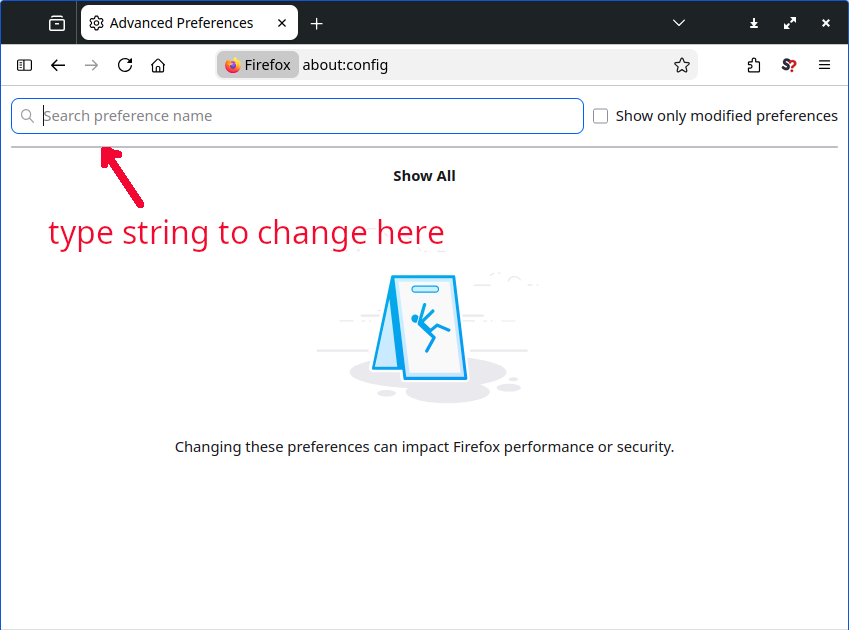
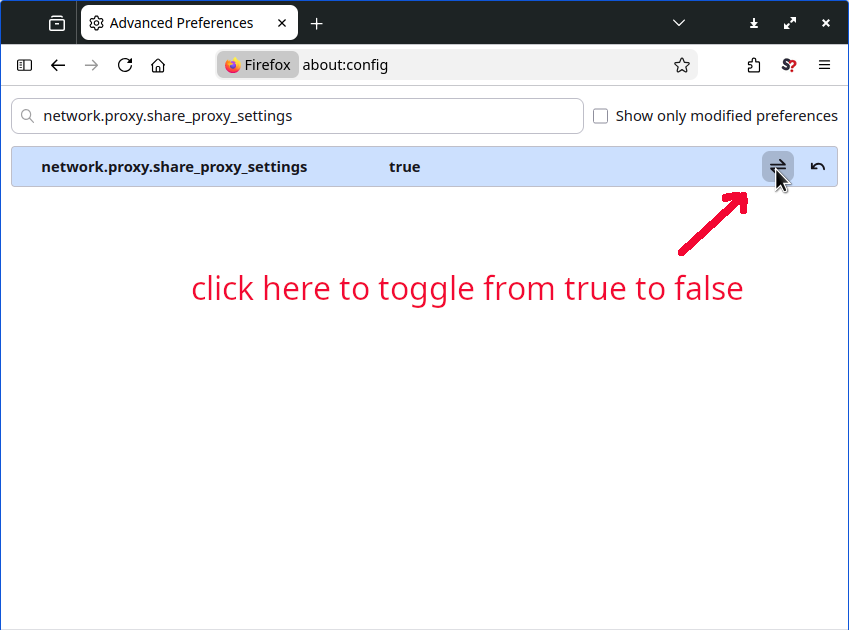
The first proxy setting looks redundant but I think it'll prevent the browser from avoiding the use of your proxy.
Beyond that there is always running the browser process from an unprivileged account, or in a VM. The good news is that for ordinary use of i2p network, following these steps should help keep you more secure.
Happy surfing - visit some eepsites today!